
01
Your main-character moment
A clear portrait takes the lead in the party. Keep your recognizable look and let the reference guide the performance.
ONE PHOTO. SAME PARTY. YOUR MOMENT.
Burning Bridge AI turns one character photo into a personal Burning Bridges party video. Your photo replaces only the lead performer. The preset guides the gestures, close-ups and room’s energy, so you do not need a prompt or reference upload. Choose Standard 480p or HD 720p, preview your 20-second MP4, and download your version.
Your photo replaces the lead. One person or character, clearly in view.
JPG, PNG, WebP · up to 10 MB · one clear subject
THE SAME SCENE. A NEW LEAD.
A straight-faced performance gets a different kind of funny when you change who is in front. Explore a personal version, a character remix, and a group-chat idea. Compare the face, hands and close-ups when reviewing your own result.
A clear portrait takes the lead in the party. Keep your recognizable look and let the reference guide the performance.
An animated character brings a different mood to the same scene. Distinct clothing and an unobstructed face give the model more to work with.
Make a friend the unexpected star, with their permission. The background stays part of the scene; one upload replaces the lead.
THE TREND, WITHOUT THE GUESSWORK
The Burning Bridges AI trend replaces the lead performer in the party scene of Drake’s “Burning Bridges” music video with another person or character. The joke comes from a familiar performance in an unfamiliar body: expressive hand gestures, a raised cup, a room full of people, and a camera that gets close to the lead.
You may see it called the Drake Burning Bridges meme or the “Where she at?” AI video. These names describe edits tied to the same song and performance, rather than a video of a literal bridge on fire. Burning Bridge AI focuses on that character-replacement task. It uses a preset reference and one photo to guide a new AI video; it does not promise an exact copy of every frame.
The original Burning Bridges music video ↗THREE STEPS. NO PROMPT.
Upload one photo, choose your quality, and generate. You do not need to film the routine, find a reference clip, or describe each gesture.
Upload a JPG, PNG or WebP with one clearly visible person or original character. A front-facing, well-lit image works better than a crowded or obstructed shot.
Choose Standard 480p or HD 720p. Sign in and check the credit cost before generating. The preset supplies the reference and character-replacement instruction.
Watch your completed video before sharing. Check the face, hands and movement, then download the MP4. A new generation uses another set of credits.
BUILT AROUND THIS ONE SCENE
The generator has one image input. You choose the lead; the background crowd remains part of the fixed reference. There is no second role to assign or prompt to tune.
Seedance 2.5 receives the preset clip and your character photo in a defined order. It is instructed to follow the movement and camera while keeping your character’s appearance. Identity and motion can still drift.
Tasks keep their request identity through a refresh. Completed videos are saved before download becomes available. If a request needs checking, recover the existing task rather than submitting and paying again.
Standard costs 100 credits and HD costs 200. The server checks the quoted price and reserves credits once. Confirmed generation failures return reserved credits; an uncertain request is checked before being repeated.
A LITTLE UNEXPECTED. VERY SHAREABLE.
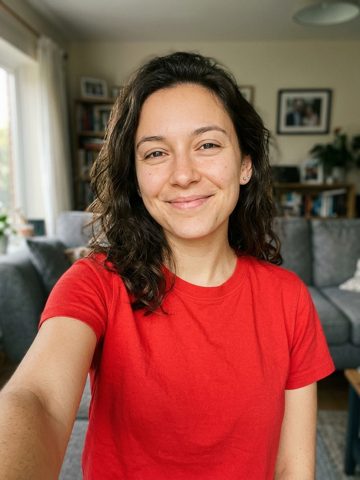
For the group chat that already quotes the hook. Use a consenting friend’s photo and let their unexpectedly serious performance do the joke.
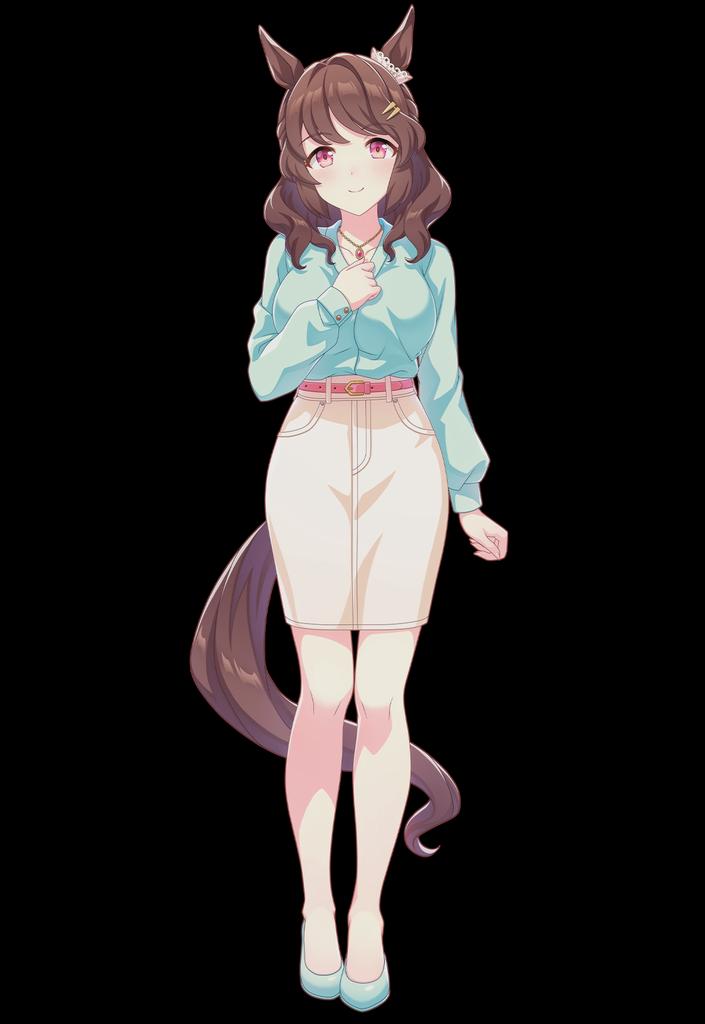
Put a character you have permission to use in the room. The contrast with the recognizable party choreography is the creative idea.
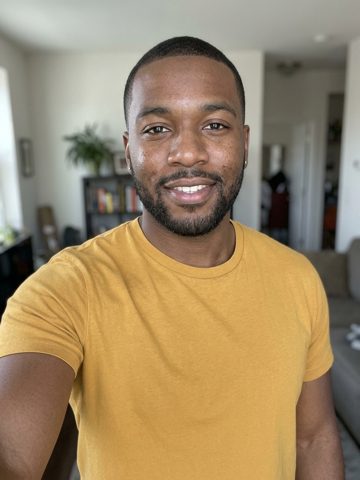
Create a personal edit for short-video posts. Review the clip, disclose that it is AI-generated, and follow the destination platform’s media rules.
CHOOSE THE WORKFLOW THAT FITS
A preset reference removes setup when you want this specific performance. A general generator or editor gives you more freedom when you want another scene. Neither approach guarantees perfect motion or identity.
| Method | What you provide | What you control | Best fit / limitation |
|---|---|---|---|
| Burning Bridge AI | One character photo | Lead character and 480p / 720p | This fixed party scene; no custom choreography or background |
| General reference-video tool | Your clip, images and instructions | Reference choice and supported settings | Other performances; more preparation and role mapping |
| Prompt-based video generation | A scene description, optionally an image | Scene, mood and actions in text | Original ideas; exact timing is harder to specify |
| Manual video editing | Footage, source images and editing work | Cuts, timing, layers and export | Detailed editing; requires tools and hands-on time |
GOOD INPUT MAKES A DIFFERENCE
Choose a head-to-waist or full-body image with a visible face. Avoid multiple people, masks, hands over the face, and heavy crops.
Use the hairstyle and clothing you want the character to retain. Extreme side views and tiny faces leave less information for the close-ups.
Watch for drifting facial features, distorted fingers and changing clothing. A different photo may help, but each new render costs credits and quality is not guaranteed.
PAY ONCE. CREATE AT YOUR PACE.
Buy a credit pack with no subscription. Standard 480p uses 100 credits; HD 720p uses 200. Purchased credits do not expire.
One Standard video
3 Standard videos or 1 HD + 1 Standard
9 Standard videos or 4 HD + 1 Standard
20-second, 16:9 MP4 · Standard 480p or HD 720p · Preview and download. No application-added watermark. AI results may differ from the reference. Confirmed failed tasks return reserved credits; this is a credit return, not an automatic cash refund. Accepted requests cannot be canceled.
BEFORE YOU TAKE THE LEAD
Burning Bridge AI is a photo-to-video tool at burningbridgeai.space for the Burning Bridges character-swap meme. One photo defines the lead in a preset party performance. It is an independent product and is not affiliated with Drake or his label.
Yes. Use a photo of yourself, a person who agreed to appear, or an original character you have permission to use. Upload one JPG, PNG or WebP, up to 10 MB, with dimensions from 256 to 5,760 pixels per side.
No. The reference and replacement instruction are preset. You upload the character photo and choose output quality; there is no prompt field or video-upload step.
The generator uses Seedance 2.5 video-edit through EvoLink. The fixed scene guides movement and camera, while your image guides the replacement character. The output is a new AI-generated clip.
The workflow aims to follow the reference performance, but exact frame matching and perfect identity are not guaranteed. Faces, hands, clothing and background details can change. Review the complete result before posting.
Generation is paid. Standard costs 100 credits and HD costs 200. Packs start at $6.90 for 100 credits. There is no subscription or promised free generation allowance.
Choose Standard 480p or HD 720p. Both target a 20-second landscape MP4 at 16:9. The application does not add a watermark. There is no vertical export or custom length control.
This tool replaces the lead only. The scene, background crowd and performance are fixed by the preset. Choose a general reference-video workflow if you need several roles or a different scene.
Reserved credits are returned after a confirmed failed or rejected task. If submission or delivery is uncertain, check the existing request instead of creating another. An unsatisfactory successful result is not treated as a technical failure.
You can download the MP4 for your edit. Share only media you are allowed to use, follow your platform’s rules, and make clear that the video is AI-generated. The service does not grant third-party music or character rights.
The browser saves the active task or request ID for your signed-in account. On return it checks that request. Use the recovery action when prompted; do not start a second request to resolve an uncertain first one.
Open the Help page for upload and recovery steps, or submit a support ticket from your account. Include the task ID and issue, without posting credentials or private photos publicly.
THE ROOM IS READY.
One photo. A preset performance. Your 20-second take with the Burning Bridges AI Video Generator.